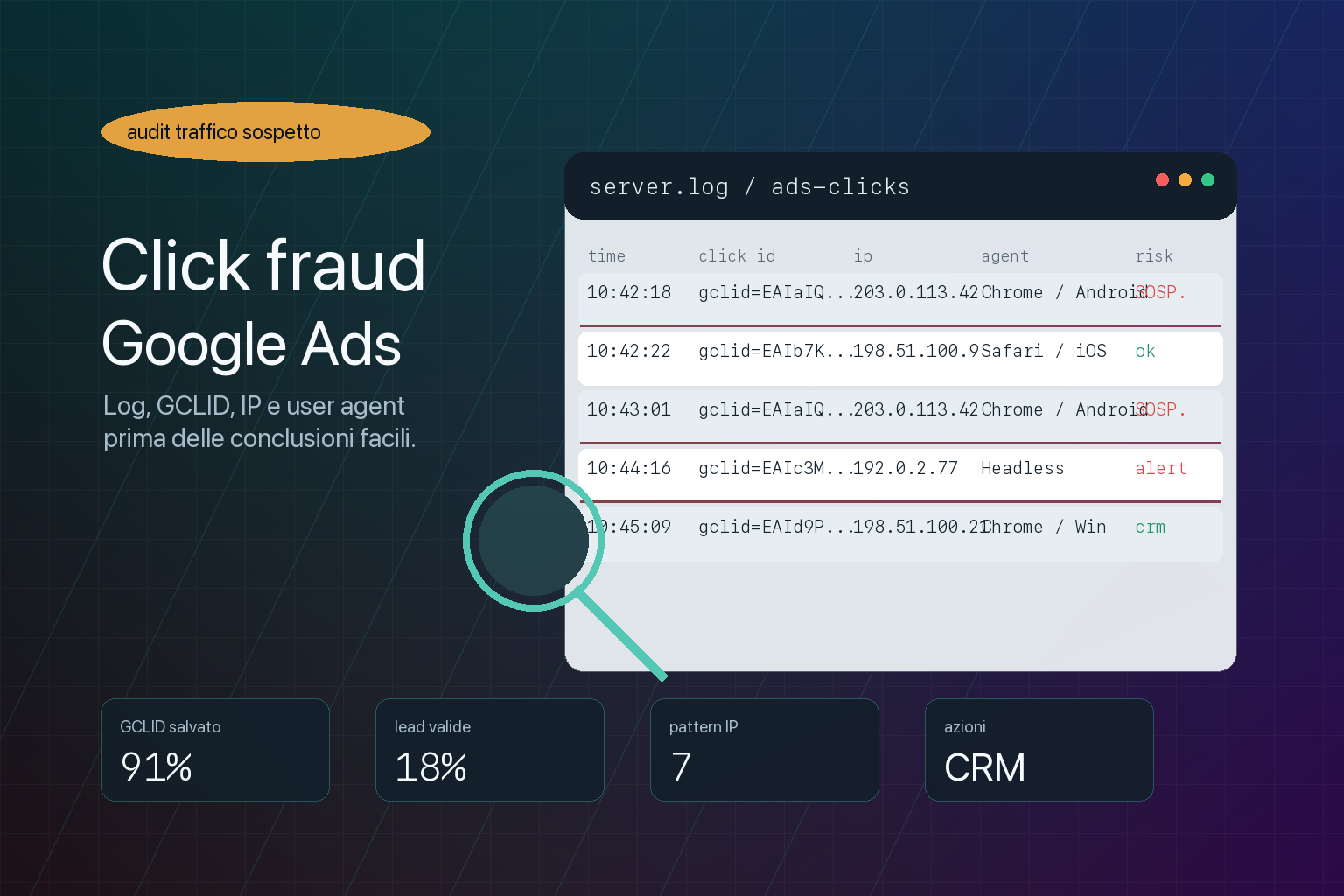
When you suspect click fraud on Google Ads, the worst thing you can do is reason purely on gut feeling: "that looks like too many clicks", "these leads smell wrong", "I reckon they're bots". You may well be right, but without data you risk blocking real users, blaming the wrong channel, or letting the problem carry on.
Invalid traffic is real. Google defines it as ad interactions that do not come from genuine user interest, including accidental clicks, duplicates, automated activity and deliberate attempts to drive up advertising costs. Google filters a lot of traffic before billing and can issue credits when it detects invalid activity after the charge, but that does not mean an eCommerce business or a lead generation company can stop checking.
The difference between paranoia and an audit lies in the data: server logs, GCLID, IPs, user agents, timestamps, landing pages, forms, CRM and commercial quality. On their own they do not always prove fraud. Together they can tell a far clearer story.
This article is the technical follow-up to the guide on fake traffic, click fraud and fake leads. Here we get into the operational side: what to store, what to compare and which patterns to look for before you say "this is click fraud".
First rule: not every odd click is click fraud
A spike in clicks can have many causes: an increased budget, keywords that are too broad, a new Performance Max campaign, a seasonal shift, more aggressive competitors, broader ads, imprecise geographic targeting, a landing page that doesn't match the ad, or plain user curiosity.
A low conversion rate doesn't automatically prove fraud either. It can mean the offer isn't convincing, the price is off the market, the form asks for too much, the page is slow, or the campaigns are picking up cold traffic.
That's why a serious audit starts with two questions:
- is the traffic technically suspicious?
- does the traffic produce worse commercial signals than the rest of the campaigns?
If both answers start to converge, it's worth digging deeper. If you only look at IPs, or only at GA4, you risk seeing ghosts. If you only look at cost per lead, you risk missing the bots.
What the GCLID is and why you should store it
The GCLID, or Google Click Identifier, is the parameter Google Ads can add automatically to URLs when auto-tagging is switched on. It links the ad click to the session, to conversions and to attribution inside Google's tools.
For anti click fraud analysis the GCLID is valuable because it lets you connect a site event to a specific Ads click. If a form comes in from Google Ads and you store the GCLID alongside the enquiry, you can compare:
- when the click happened;
- which landing page received the visit;
- which form was filled in;
- which campaign or ad group was involved;
- whether the contact became a qualified lead, an opportunity or a customer;
- whether the same pattern shows up many times over.
The point is not to treat the GCLID as magic proof. The point is to stop forms, CRM and campaigns living as three separate worlds. If you don't store a click identifier, it becomes far harder to tell useful traffic, noise, tracking errors and suspicious activity apart.
What data to keep in your logs
Server logs are usually duller than advertising reports, but when the numbers don't add up they become essential. Google itself recommends using web server logs when investigating suspicious traffic, while pointing out that logs include every visitor to the site, not just those who arrived from Ads.
To make logs useful, you need to store enough context. A reasonable baseline includes:
- a precise timestamp: date, time and time zone consistent with Google Ads and the CRM;
- IP: the source address, or the real IP if a CDN or proxy is configured correctly;
- user agent: the declared browser, operating system and device;
- the full URL: path, query string, GCLID, GBRAID, WBRAID or UTM parameters;
- referrer: where available and reliable;
- method and status code: GET/POST, 200, 302, 403, 404 and so on;
- landing page: the first page of the session;
- page sequence: product, category, checkout, form, thank you page;
- time between click and action: to judge whether the behaviour is plausible;
- form or order ID: the link to the CRM, ERP or database;
- commercial outcome: valid lead, spam, out of target, sale, cancelled.
If you use Cloudflare, a reverse proxy, a load balancer or a server-side Tag Manager, check that the real IP is being preserved correctly. Otherwise your logs may only show the proxy's IP and you lose the most useful data point.
Useful logs, not indiscriminate collection
When anti-fraud logging comes up, people tend to swing from one extreme to the other: either they store nothing, or they want to keep every possible data point forever. Both approaches are weak.
Defending campaigns and forms takes enough technical data, but collected sensibly: a clear purpose, restricted access, proportionate retention, internal documentation and care over personal data. IPs, user agents, click identifiers, email addresses, phone numbers and CRM status are not innocuous details.
In practice, before you switch on deeper logging, ask yourself:
- which data do you genuinely need to tell useful traffic, noise and abuse apart?
- how long does it make sense to keep it?
- who can read it?
- is it linked to identifiable leads, orders or customers?
- are the banner, the privacy policy and internal procedures consistent with what is being collected?
A serious audit is not "let's save everything and see later". It means designing a technical trail rich enough to protect the budget, but tidy enough not to create a new compliance problem.
Suspicious IPs: useful, but easy to misread
The IP is the data point everyone wants to block first. That's understandable: if you see lots of clicks from the same address, the instinct is to add it straight to the exclusion list.
But IPs should be read carefully. A single IP can represent:
- a real user;
- an office with many people;
- a corporate network;
- a mobile provider;
- a VPN;
- a proxy;
- a cloud service;
- a bot;
- a competitor;
- a security or preview system.
Google points out that multiple clicks from the same IP can also come from shared IPs assigned by providers or corporate networks. So the IP alone is not enough to condemn a visit.
It gets more interesting when it combines with other signals: the same IP, many different GCLIDs, extremely short time on site, a repeated user agent, an inconsistent geographic area, forms filled in with fake data, no qualified leads, a pattern concentrated on expensive keywords.
User agent: what it can and cannot tell you
The user agent is the string with which the browser declares who it is: Chrome, Safari, Android, iPhone, operating system, version and other details. In logs it can help you see whether many visits arrive with identical or improbable combinations.
Signals worth watching:
- hundreds of visits with an identical user agent and identical behaviour;
- very old browsers, or ones inconsistent with the expected audience;
- an empty or obviously automated user agent;
- odd combinations of device, resolution and behaviour;
- the same user agent on different IPs with the same page sequences;
- mobile clicks with form completions that are too fast and too perfect.
Caution is needed here too. Some browsers reduce or standardise user agent information for privacy reasons. Some apps and mobile environments can generate similar strings across many users. So the user agent is a clue, not a verdict.
Suspicious patterns to look for
An anti click fraud audit becomes useful when it looks for patterns rather than isolated anomalies. Some signals deserve attention:
- many clicks, few real sessions: Google Ads records clicks, but the site sees few visits that load properly;
- lots of very short sessions: users who arrive and leave within seconds without reading anything;
- journeys that are too similar: same landing page, same scroll, same form, same timings;
- GCLIDs with no interaction: Ads visits that generate no consistent events;
- forms filled in too quickly: completion times incompatible with human reading and decision-making;
- weak emails and phone numbers: disposable domains, non-existent numbers, generic or inconsistent enquiries;
- out-of-target geography: clicks from areas that shouldn't be seeing the ads at all;
- expensive keywords hit: anomalies concentrated on the priciest queries;
- spikes at odd hours: intense activity when the real audience usually doesn't convert;
- leads that never become sales: plenty of surface-level conversion, zero commercial quality.
The most dangerous pattern is the one that looks like good news: more forms, a lower cost per lead, a dashboard trending up. But if the CRM says those leads don't reply, are out of target or have fake data, Google Ads is receiving a signal that shouldn't be driving the bids.
Fraud, broken tracking or bad targeting?
Before you talk about click fraud you need to separate three scenarios that can look very alike in the reports.
- Possible fraud or invalid traffic: repeated technical patterns, suspicious IPs or user agents, forms filled in too fast, anomalous spikes on expensive keywords, leads with no commercial quality.
- Broken tracking: real clicks but missing conversions, duplicate events, GCLID not stored, consent not passed correctly, a thank you page that doesn't load, or an untracked checkout.
- Wrong targeting or offer: technically human traffic, but queries that are too broad, a poorly qualified audience, a weak promise in the ad, a page that doesn't match, or a price or proposition that isn't competitive.
The remedy is completely different in each case. In the first you work on evidence, filters, a request to Google and form protection. In the second you fix tracking, Tag Manager, consent and conversions. In the third you have to rethink the Ads strategy, the feed, the landing pages and the quality of the offer.
Many audits fail because they jump straight to the most convenient conclusion. The right question is: which link in the chain is producing the wrong signal?
The Google Ads columns to check
Inside Google Ads it's worth adding and reading the columns tied to invalid traffic, such as invalid clicks and invalid click rate. They tell you what Google has already identified and filtered.
But those columns aren't enough on their own. They need to be compared with:
- spend by campaign, ad group and keyword;
- search queries;
- placements, where available;
- geographic segments;
- time-of-day bands;
- devices;
- primary and secondary conversions;
- lead quality in the CRM;
- real orders, returns and cancellations for eCommerce.
If Google reports few invalid clicks but the CRM reports a flood of useless leads, that doesn't necessarily mean Google is wrong. It can mean the problem isn't the click, but the targeting, the landing page, the promise in the ad, or the type of conversion being used to optimise.
Forms and CRM: where fraud turns into real cost
A wasted click hurts, but the greater damage often comes afterwards. Every fake lead eats sales time, pollutes the CRM and can teach the algorithm to go looking for more users just like it.
That's why forms should store technical data and commercial data in the same flow:
- the GCLID or whatever Ads identifier is available;
- the entry campaign or landing page;
- the IP and user agent associated with the enquiry;
- the time between the first visit and the form submission;
- the fields filled in;
- the anti-spam outcome;
- the status in the CRM;
- the commercial qualification;
- any opportunity or sale value.
This connects directly to Google Ads offline conversions: if you only send qualified leads back to Google, the account learns from real customers, or at least from verified contacts, rather than from every raw submission.
The limits of IP exclusions
Blocking IPs can be useful when you have solid evidence: repeated clicks, anomalous behaviour, no commercial quality, an IP incompatible with your audience, activity concentrated on expensive campaigns.
But IP exclusion has obvious limits:
- many IPs are dynamic and change;
- mobile and corporate networks can be shared;
- blocking an IP can exclude real users;
- the more sophisticated services use distributed residential IPs;
- an attack can move as soon as one address is blocked;
- IPs don't fix fake leads generated by bad targeting.
It's better to think of IP exclusions as a local dressing rather than the cure. Real defence combines clean tracking, form validation, CRM, offline imports and pattern monitoring.
When to ask Google for an investigation
If you suspect invalid traffic that hasn't been filtered, you can request an investigation from Google Ads. Doing it properly takes more than writing "we think these clicks are fraudulent". You need organised data.
Prepare at least:
- the Google Ads account Customer ID;
- the campaigns and ad groups involved;
- the exact period of the anomaly;
- the suspicious keywords, ads or placements;
- the trend in clicks, impressions, cost and conversions;
- server logs with timestamps, IPs, user agents and URLs;
- any GCLIDs or click identifiers available;
- examples of suspicious forms and how they ended up in the CRM;
- a clear explanation of the anomalous pattern.
The tidier the material, the more sense the request makes. A file full of rows with no context is of little use. A reconstruction with dates, patterns and commercial impact is far more valuable.
What to ask your agency
If you run Google Ads and you're worried about suspicious traffic, these questions help separate impressions from facts.
- Is Google Ads auto-tagging switched on?
- Does the site keep the GCLID, GBRAID or WBRAID when leads or orders come in?
- Do the forms store IP, user agent, timestamp and landing page?
- Does the CRM distinguish between lead submitted, valid lead, opportunity and sale?
- Are the primary conversions raw forms or qualified outcomes?
- Have you checked the invalid clicks columns in Google Ads?
- Have you compared Google Ads, GA4, server logs and CRM?
- Are there keywords, times, areas or devices with strange patterns?
- Are the IP exclusions based on evidence or on hunches?
- Are the tracking scripts configured correctly with consent?
- Is there a report that separates traffic, leads, qualified leads and customers?
- If needed, have you prepared enough material to request an investigation from Google?
If the answer is "we look at Analytics and that's it", the audit is far too weak. Analytics is useful, but it doesn't see the whole journey and it doesn't replace logs and CRM.
How we handle this at BitHub
At BitHub we look at the problem as a chain: campaign, click, landing page, consent, form, CRM, sale and data quality.
The work can include:
- a Google Ads audit covering invalid clicks, campaigns, queries, placements and conversions;
- checking auto-tagging and GCLID storage in forms;
- verifying server logs for IPs, user agents, timestamps and URLs;
- analysing suspicious patterns by campaign, area, device and time of day;
- anti-spam checks and server-side form validation;
- connecting leads, CRM and commercial quality;
- separating raw conversions from qualified conversions;
- importing offline conversions where Google needs to be taught the real value;
- technical documentation that also supports any investigation requests.
This work connects to what we do on SEO and Google Ads, data-driven digital strategy, CRM and digital platforms and compliance, cookies and tracking.
The goal isn't to see bots everywhere. It's to understand which clicks have value, which only generate noise, and which signals should not be driving the budget.
Useful sources
To dig deeper, start with Google's documentation on invalid traffic in Google Ads and the official guide to auto-tagging and the GCLID. Google's pages on invalid clicks in reports and on IP exclusions are useful too.
FAQ
Is the GCLID enough to prove click fraud?
No. The GCLID links a Google Ads click to a visit or a conversion, but on its own it doesn't prove the click was fraudulent. It has to be read alongside logs, IPs, user agents, behaviour, forms and CRM quality.
If I see lots of clicks from the same IP, should I block it straight away?
Not always. An IP can be shared by a provider, a corporate network or a mobile connection. It's better to block it only when other signals confirm a suspicious pattern and the risk of excluding real customers is low.
Does Google Ads filter fraudulent clicks automatically?
Google filters many invalid interactions and can apply credits when it detects invalid activity after billing. Even so, a business still has to monitor traffic quality, forms, CRM and real conversions.
What data should I store from forms?
Beyond the fields the user fills in, it's worth storing the timestamp, landing page, GCLID or whatever Ads identifier is available, IP, user agent, anti-spam outcome and commercial status in the CRM.
Can I keep detailed logs without privacy problems?
Not automatically. IPs, click identifiers and form data can become personal data, or at least information that is sensitive for the business. They should be collected with a clear purpose, restricted access, proportionate retention periods and consistent documentation.
Are fake leads always caused by click fraud?
No. They can also come from bad targeting, an unclear promise in the ad, a weak landing page, a form that is too generic, or an offer that is off the market. That's why you need to compare technical data with commercial quality.
How do I protect Performance Max from fake leads?
The most important thing is not to use every raw form as the only primary goal. It's better to distinguish micro-conversions, qualified leads, opportunities and sales, and import signals into Google Ads that sit closer to real value.
Want to know whether you're paying for real clicks or for noise?
We can analyse Google Ads, server logs, GCLIDs, forms, CRM and lead quality to work out whether the problem is click fraud, tracking, targeting or badly configured conversions.