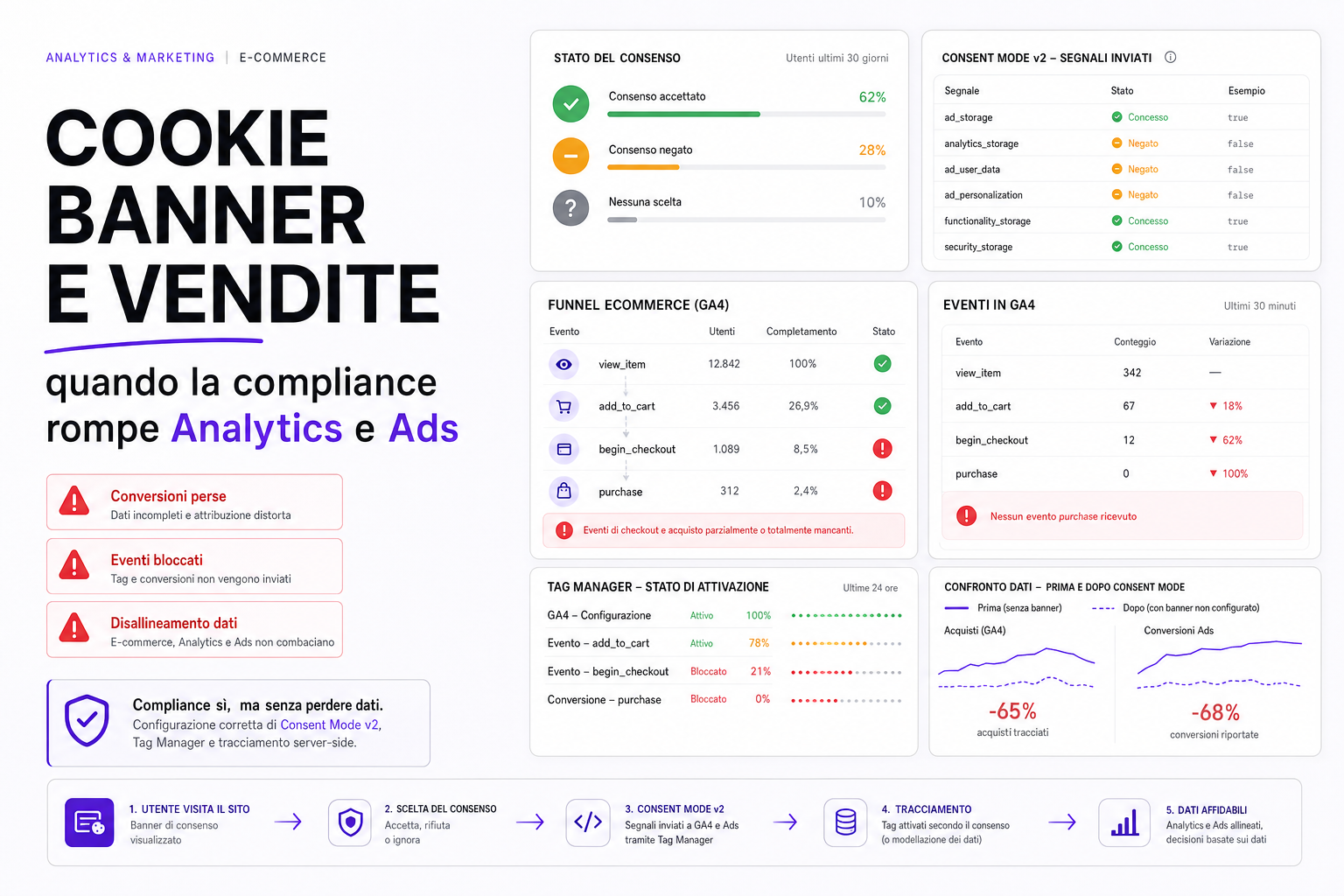
A badly configured cookie banner can do more damage than it looks: inconsistent GA4 data, lost Google Ads conversions, campaigns that learn worse, and decisions taken on distorted numbers.
The problem isn't having a banner. The problem is thinking it's enough to install it and forget about it. On an eCommerce site, consent, tags, events, GA4, Google Ads, server-side tracking, CRM and checkout all have to talk to each other.
If the banner blocks everything the wrong way, or sends incomplete signals, the site can look compliant on paper while staying blind in the data. Blind marketing spends worse.
The symptom: Analytics and Ads no longer add up
After a cookie banner is installed or changed, this often happens:
- GA4 records far fewer sessions;
purchaseevents drop suddenly;- Google Ads sees fewer conversions than there are real orders;
- ROAS appears to worsen for no reason;
- cart or checkout events disappear;
- Tag Manager shows tags blocked, or firing at the wrong moment;
- Performance Max campaigns receive less useful data;
- Meta, the newsletter platform and the CRM all tell different stories.
It isn't always a real drop. Sometimes you're simply measuring worse.
Consent Mode isn't a switch
Consent Mode exists to communicate the state of consent to Google for various types of storage and data use.
On an eCommerce site you need to check at least:
ad_storage;analytics_storage;ad_user_data;ad_personalization;- the initial state before the user chooses;
- the update after accept, reject or customise;
- consistency between banner, Tag Manager, GA4 and Ads.
If consent is sent late, badly or never, tags can fire when they shouldn't, or fail to fire when they could.
eCommerce events: what has to work
eCommerce events are not all equal. Some are there for analysis, others for Ads optimisation.
view_item: product view;add_to_cart: added to basket;begin_checkout: checkout started;add_payment_info: payment;purchase: purchase;refund: refund;search: internal search;view_item_list: product listing.
If you lose purchase, Google Ads learns worse. If you only send carts as conversions, you risk optimising for users who don't buy. This connects to the subject of cart conversions versus orders.
Frequent technical mistakes
- The banner loading after the tags.
- Default consent not set.
- The consent update never sent.
- GA4 and Ads tags following different rules.
- eCommerce events blocked even when consent allows them to be sent.
- A dataLayer that fires before the order data is ready.
- Duplicate purchase events when the thank you page is reloaded.
- Gross, net, discounted order value and shipping handled inconsistently.
- A cookie banner never tested on mobile or on different browsers.
- Server-side tracking configured without respecting consent.
Tracking is fragile. A small change to the banner can change the whole marketing reading.
Compliance and performance have to go together
A banner must respect the user's choices, but it also has to be technically clean.
It should:
- be readable and accessible;
- not block the checkout;
- not break the mobile layout;
- update the consent state correctly;
- fire the right tags at the right moment;
- be testable in Tag Manager preview;
- leave a verifiable trail.
The banner isn't just a legal component: it's a critical part of the data platform.
How to check whether tracking is broken
- Open the site in a private window.
- Check the consent state before any choice is made.
- Accept, reject and customise: test every scenario.
- Use Tag Assistant or Tag Manager preview.
- Check GA4 DebugView.
- Place a test order and verify the purchase event.
- Compare real orders, GA4 and Google Ads.
- Check for duplicates and gaps.
- Test on mobile, Safari, Chrome and Firefox.
- Document what happens for each consent state.
If you don't have a test matrix, you're going on gut feeling.
How we handle this at BitHub
When we work on cookie banners and eCommerce tracking, we look at consent, dataLayer, GA4 events, Google Ads, Tag Manager, any server-side tracking and the comparison with real orders, all together.
The aim isn't to inflate the data, but to have measurements that are consistent, respectful of consent and genuinely useful to the campaigns.
This connects to web compliance, GDPR and cookies, SEO and Google Ads, Consent Mode v2 for eCommerce and the correct conversion setup for Performance Max.
Useful sources
For the technical checks we drew on Google's documentation on Consent Mode, the Google Tag Platform guide to consent mode and the GA4 documentation on eCommerce events.
FAQ
Can a cookie banner cause lost conversions in Google Ads?
Yes. If consent and tags are configured badly, Google Ads can receive fewer conversions, or data that doesn't match the real orders.
Does Consent Mode solve everything on its own?
No. It has to be implemented correctly and tested with the banner, Tag Manager, GA4, Ads and real consent scenarios.
Should I only track purchases?
No. Funnel events help with analysis, but for Ads optimisation you have to avoid using micro-conversions as though they were sales.
Does server-side tracking remove the consent problem?
No. On the server side too you have to respect consent, purposes and configurations. It isn't a shortcut for ignoring the banner.
How do I know if my banner is breaking GA4?
Test the consent states, DebugView, Tag Assistant, purchase events and the comparison with real orders. If the numbers diverge too much, you need an audit.
Want to know whether your cookie banner is distorting your data?
We can review consent, tags, events and conversions to work out where you're losing data and how to realign compliance, Analytics and Ads.