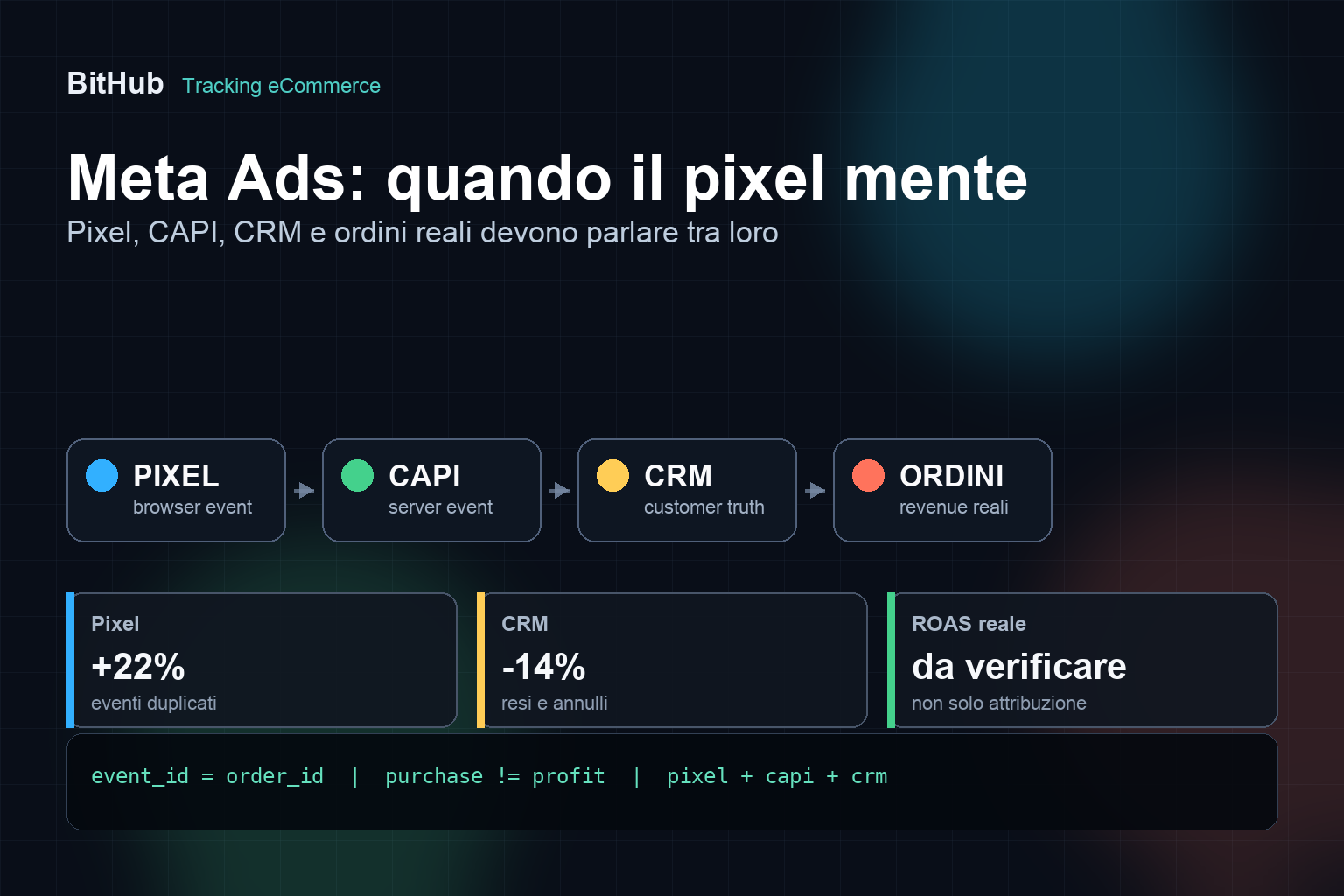
The Meta pixel can tell a very different story from the one your eCommerce store is actually living. It can see duplicate events, carts that never become orders, purchases that are later cancelled, very gross values and conversions attributed in a convenient way that isn't always useful for budget decisions.
That doesn't mean Meta Ads doesn't work. It means that, for an eCommerce store, advertising data can't be read on its own. It has to be compared with real orders, CRM, ERP, margins, returns, cancellations and the quality of the customers acquired.
If Facebook and Instagram Ads are optimising on dirty signals, the algorithm can become very efficient at delivering more dirty conversions. The problem isn't only technical: it's commercial. You are paying to teach the platform an incomplete version of your business.
The pixel doesn't see everything, and sometimes it sees too much
The Meta Pixel works in the browser. It records events such as PageView, ViewContent, AddToCart, InitiateCheckout, Lead and Purchase. That's useful, but it lives in an increasingly fragile environment: cookie consent, ad blockers, browsers that limit tracking, users switching devices, external checkouts, slow pages, redirects and duplicate scripts.
On eCommerce sites we see two opposite problems.
- Lost events: some purchases or important steps are never recorded.
- Inflated events: the same purchase is counted twice, or intermediate events are read as though they carried the same value as a sale.
The first problem makes campaigns look worse than they are. The second makes them look better. Both lead to bad decisions.
Conversions API is not a magic wand
Meta Conversions API, often called CAPI, sends events from the server, the backend, the eCommerce platform or the CRM straight to Meta. Meta's documentation presents it as a way to create a more direct connection between marketing data and Meta systems.
It's an important tool, especially when the browser pixel alone is no longer enough. But CAPI doesn't automatically fix everything.
It can improve data quality only if:
- the events being sent are the right ones;
- consent is respected;
- pixel and server don't count the same event twice;
- the event parameters are consistent;
- CRM and ERP distinguish real orders, returns and cancellations;
- there is a reconciliation between Meta, backend and sales.
If you install CAPI on top of confused tracking, you usually just get more sophisticated confusion.
The critical point: deduplicating pixel and server
When you use both the pixel and Conversions API, Meta can receive the same event from two channels: once from the browser and once from the server. To avoid double counting, you need deduplication.
The concept is simple: the same Purchase must carry the same event identifier on the pixel side and on the server side. Meta uses parameters such as event_id and the event name to work out that two events represent the same action.
A practical example:
- confirmed order number 12345;
- the pixel sends Purchase with an eventID tied to that order;
- the server sends Purchase to Conversions API with the same event_id;
- Meta recognises it as the same purchase and counts one.
If the event_id doesn't match, you risk counting two purchases. If the event_id is reused badly, the opposite risk is losing valid events. And if the purchase fires several times because the user reloads the thank-you page, the report can inflate even without CAPI.
For an eCommerce store, the order ID is often the natural candidate for deduplicating a purchase. But for events such as Lead, AddToCart or InitiateCheckout you have to design identifiers, sessions and sending logic properly.
Why the CRM has to correct the pixel
The pixel sees an event at the moment it happens online. The CRM and the ERP show what happens afterwards.
An order from Meta Ads can end up:
- correctly paid;
- cancelled by the customer;
- unfulfilled because of wrong stock;
- partially returned;
- fully refunded;
- modified by customer care;
- from a repeat customer acquired long ago;
- from a high-value new customer.
As far as Meta is concerned, if it only receives the initial Purchase, many of these cases look identical. For the business they are nothing of the sort.
This is where the CRM has to correct the pixel's narrative. That doesn't always mean sending everything back to Meta in real time. It means at least having a report that compares Meta conversions, real orders, margins, returns, cancellations, new customers and repeat customers.
Meta ROAS can lie just like Google Ads ROAS
We've already covered Google Ads ROAS distorted by conversion value, margins, returns and cancelled orders. On Meta Ads the risk is similar, with one extra difficulty: attribution on social campaigns can be even further from the accounting view in the ERP.
A Meta report can show an interesting ROAS, but that number has to be read with precise questions:
- is the value gross or net?
- does it include VAT, shipping, discounts and coupons?
- were the attributed orders actually paid?
- how many were returned or cancelled?
- is Meta counting new customers, or existing ones too?
- are pixel and CAPI deduplicating correctly?
- is the value consistent with the ERP?
If the advertising report is never reconciled, ROAS risks becoming a number that looks good and is weak for making decisions.
Pixel, CAPI and consent have to talk to each other
Meta tracking doesn't live outside the privacy question. If the user refuses consent, if the banner blocks some scripts, if server-side events ignore the user's choice, or if personal data is sent without a proper legal basis, the problem isn't only about performance.
That's why the setup has to be read alongside the cookie banner, Tag Manager, the eCommerce platform, server-side tracking and the CRM. We explained the same approach for Google in the article on Consent Mode v2 for eCommerce and Google Ads: data has to be useful, but also collected and transmitted consistently with the user's choices.
Meta CAPI can receive hashed user data, event parameters and server-side information. But the closer the data gets to the customer, the more order you need: consent, minimisation, purpose, logs and documentation.
Common mistakes on eCommerce sites
The same errors come round again and again, even in accounts spending serious budget.
- Duplicate pixels: the theme, a plugin and Tag Manager all send the same events.
- Unchecked Purchase on the thank-you page: a refresh or a return to the page can generate extra events.
- CAPI installed but not deduplicated: server and browser send similar events with different IDs.
- Gross, unverified order value: VAT, shipping, discounts or order changes distort the reading.
- No comparison with the ERP: Meta says one thing, the backend says another, and nobody decides which to use.
- Intermediate events treated as too important: AddToCart or InitiateCheckout are optimised as though they were sales.
- CRM ignored: no distinction between new customer, repeat customer, return, cancellation or high-value customer.
- Consent not handled server-side: the pixel is blocked, but the server keeps sending events with no clear logic.
The result is an account that can look healthy while feeding Meta incomplete or duplicated data.
Mini case: Meta records sales, the ERP doesn't
Imagine an eCommerce store seeing a rise in sales attributed to Meta Ads. ROAS in the panel is climbing. The agency proposes increasing the budget.
Before doing so, the owner compares the data with the ERP and discovers three things:
- some Purchases are duplicated because pixel and CAPI don't use the same event_id;
- a share of the orders attributed to Meta was cancelled or returned;
- many sales come from customers already in the CRM, not from new customers.
The campaign isn't necessarily one to switch off. But the judgement changes: raising the budget isn't enough. First you have to fix deduplication, read new customers properly and separate gross value from useful value.
Technical checklist before increasing Meta Ads budget
Before scaling an eCommerce campaign on Meta, check at least these points.
- Is the pixel present only once?
- Do ViewContent, AddToCart, InitiateCheckout and Purchase fire where they should?
- Does Purchase fire only once per order?
- Do pixel and Conversions API share the same event_id for the same event?
- Is the order value being sent consistent with the backend?
- Are currency, content_ids, content_type and product parameters consistent?
- Does the Meta catalogue use product IDs consistent with the site?
- Are returns, cancellations and refunds read at least in the internal report?
- Does the CRM distinguish new, repeat and high-value customers?
- Is consent respected in server-side events too?
- Are Meta events compared with GA4, backend and ERP?
- Is there documentation of the setup?
This checklist isn't there to slow campaigns down. It's there to stop a budget increase amplifying a mistake.
What to ask your agency
If a Meta Ads report looks too good, or too far from real sales, these questions help you understand what is going on.
- How is the pixel installed: theme, plugin, Tag Manager or custom integration?
- Are we using Conversions API? In what way?
- Has pixel/server deduplication been verified on Purchase events?
- Which order value is sent to Meta?
- How do we handle returns, cancellations and refunds?
- Does the CRM separate new customers from returning ones?
- Do the campaigns optimise on Purchase or on intermediate events?
- Is the Meta catalogue consistent with the feed, the site and availability?
- How is user consent respected?
- Do we compare Meta Ads, GA4, backend and ERP every month?
If the only answer is "the pixel is live", the most important part is missing: knowing whether the data is reliable.
How we handle it at BitHub
At BitHub we don't treat Meta Ads as a channel separate from the site. The pixel, Conversions API, the product catalogue, the CRM, the ERP and the commercial report are all part of the same system.
The work can include:
- an audit of pixel, events and duplication;
- reviewing or implementing Conversions API;
- deduplication through a consistent event_id;
- checking order value, currency and product parameters;
- comparing Meta Ads, GA4, backend and ERP;
- reading returns, cancellations and repeat customers;
- integration with a CRM or custom platforms;
- checking consent and server-side events;
- reporting oriented to margin, not only to attributed conversions.
This connects to our work on digital strategies, CRM and management platforms, Google Ads for eCommerce and custom eCommerce development.
The logic is the same: if site, campaigns and data don't talk to each other, marketing becomes an argument between dashboards. When pixel, CRM and real orders are connected, you can decide budgets far more clearly.
Useful sources
To go deeper on the technical side, start from Meta's official resources on Conversions API, the developer documentation on Marketing API - Conversions API, the guide to deduplicating pixel and server events and the event parameters.
FAQ
Are Meta Pixel and Conversions API the same thing?
No. The pixel sends events from the user's browser, while Conversions API sends events from the server, the platform or the CRM. They often work together, but they have to be configured so they don't duplicate the same events.
Why does Meta Ads show more purchases than the ERP?
It can come from attribution, duplicate events, incorrect deduplication, a purchase that fires several times, returns or cancellations that aren't taken into account, or from differences between attributed conversions and genuinely valid orders.
What is event_id?
It is an identifier used to recognise the same action when it arrives through different channels, for example pixel and server. For a Purchase, a value tied to the order ID is often used.
Does Conversions API always improve campaigns?
No. It can improve measurement and signals if the events are correct, deduplicated and respect consent. Added to a messy setup, it can also make data quality worse.
Is a CRM useful for B2C eCommerce too?
Yes, at least as a way of reading the business: new customers, repeat customers, value over time, returns, cancellations and value segments can't be read properly from the pixel alone.
When should I audit Meta tracking?
When Meta data doesn't match orders, when you install CAPI, when you change platform or checkout, when you increase budget, when you update the cookie banner, or when ROAS looks too far from commercial reality.
Want to know whether Meta Ads is reading your eCommerce store correctly?
We can review pixel, Conversions API, deduplication, catalogue, CRM, returns, cancellations and the comparison with real orders. The goal isn't more events, but more reliable ones.